 49 Min



Most customer experience teams don’t struggle with a lack of information; they struggle with finding the right information at the right time.
That’s where AI knowledge management tools come in.
From reducing agent handling time to improving first-call resolution, the right platform can transform how your support teams access and deliver knowledge.
In this guide, we compare the best AI knowledge management tools, their features, pricing, and use cases, so you can choose the right solution for your business.
Table of contents
What are AI Knowledge Management Tools?
AI knowledge management tools are software that use artificial intelligence to help businesses store, organize, and find information quickly.
They use technologies like machine learning, natural language processing (NLP), and semantic search to understand user queries and deliver the most relevant answers.
These tools help teams access the right information faster, reduce manual effort, improve accuracy, and continuously get better by learning from user interactions.
The Beginner’s Guide To Knowledge Management
AI Knowledge Management Tools: Quick Comparison
| Tool | Best For | Key Features | Pricing |
|---|---|---|---|
| Knowmax | CX & Call Centers | Decision Trees (Flows), AI Search, Multilingual AI | Custom |
| Document360 | Product & Support Teams | AI Writing Agent, Semantic Search, Version Control | Custom |
| Stonly | High-volume customer service teams | Interactive step-by-step guides, Integrated AI answers | Custom |
| Microsoft Viva Topics | Enterprises (Microsoft ecosystem) | Topic Discovery, Knowledge Cards, Microsoft Graph Integration | ~$5/user/month |
| IBM Watson Discovery | Data-heavy enterprises | NLP Search, Document Classification, Smart Document Understanding | Starts ~$500/month |
| ProProfs | SMBs & Help Docs | AI Writer, AI Search, SEO Optimization | Free + Paid |
| Stack Overflow for Teams | Tech teams | Contextual Search, Duplicate Detection, Knowledge Graph | Free + Paid |
| Guru | Real-time knowledge delivery | Knowledge Triggers, AI Alerts, Smart Content Creation | Starts $15/user |
| Confluence | Team collaboration | AI Content Generation, Page Summaries, Workflow Automation | Free + Paid |
| Zendesk | Customer support teams | AI Ticket Routing, Omnichannel Support, Workflow Automation | Starts $69/agent |
| Bloomfire | Knowledge sharing | AI Search, Auto Tagging, Content Insights | Custom |
| Helpjuice | Custom KBs | AI Writing Assistant, Advanced Analytics, Access Control | Starts $249 |
| Salesforce Einstein AI | CRM-driven teams | AI Automation, Personalized Recommendations, Case Routing | Starts $25/user |
| Slite | Small teams | AI Search, Summarization, Smart Documentation | Free + Paid |
| KMS Lighthouse | Enterprise contact centers | Answer Trees, Self-Service Portal, Real-Time Agent Guidance | Starts ~$40/user/month |
| Notion AI | Teams & startups (internal KB) | AI Agents, Multi-model AI, Wikis, Enterprise Search | Free; from $10/user/month |
Top 15 AI Knowledge Management Tools in 2026
Here are the top 15 AI knowledge management tools:
1. Knowmax
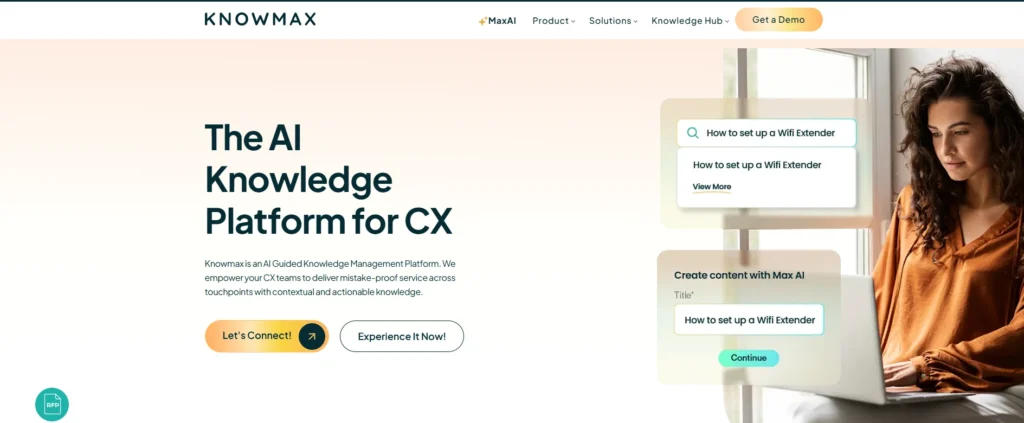
Knowmax is an AI knowledge management platform built for customer service. It transforms static documentation into structured, guided knowledge that improves both customer experience (CX) and operational efficiency.
It’s AI capabilities enable intelligent search, AI-assisted content creation, multilingual translation, and instant summarization. One of its key differentiators is the ability to convert complex SOPs into interactive decision trees (Flows), allowing agents to follow step-by-step guidance during live customer interactions. This reduces dependency on memory, minimizes errors, and improves first-contact resolution rates.
Knowmax integrates seamlessly with existing CX ecosystems, including CRM platforms, chat systems, and telephony tools, ensuring agents can access contextual knowledge directly within their workflow without switching systems.
Key features
- AI-powered search engine
- Max AI for AI-assisted content creation
- AI translator
- AI content rephrasing tools to rewrite and optimize content clarity
- Instant article summaries with AI
- Browser extension for access to AI-powered knowledge within any browser-based workflow
- Micro-segmented analytics
- Easy integration with existing CX tools (CRM, chat, phone systems)
Pros:
- Converts SOPs into interactive decision trees (Flows)
- Strong AI capabilities (search, summarization, translation)
- Reduces agent dependency on memory
- Seamless integration with CRM & CX tools
- Built specifically for customer support use cases
Cons:
- Pricing not publicly available
- May require initial setup for structuring knowledge
Pricing:
Contact sales.km@knowmax.ai
G2 Rating: 4.6/5
See Knowmax in Action

2. Document360

Document360 is a robust AI-powered knowledge management platform built for creating, managing, and delivering self-service knowledge bases.
It is designed for product teams, customer support, and internal operations to centralize knowledge, reduce support load, and enhance user experiences.
With built-in AI capabilities, Document360 simplifies content creation, improves information discoverability, and ensures that your knowledge base remains actionable.
Key features:
- AI-powered search with semantic understanding
- AI Writing Agent to auto-create content, SEO metadata, FAQs, tags, & ensure tone consistency.
- AI assistant for content suggestions and auto-tagging
- Content review workflows
- Version control and rollback
- Advanced analytics
- Multi-brand and multilingual support
Pros:
- Powerful AI writing assistant
- Strong analytics and insights
- Clean UI and easy content organization
- Version control and workflows
Cons:
- Pricing can be expensive for small teams
- Occasional performance issues (load time)
- Not CX-specific
Pricing:
Pricing available on request.
G2 Rating: 4.7/5
3. Stonly
Stonly is an agentic AI knowledge platform built specifically for customer service teams that need their knowledge and AI to execute real processes, guide agents, and resolve complex support scenarios reliably.
It is designed for mid-market and enterprise support operations to centralize knowledge, deliver it at the point of need, and pair it with AI for more consistent and reliable support experiences across both agents and customers.
With built-in AI capabilities and interactive guide functionality, Stonly goes beyond article storage to make knowledge executable, keeping it accurate and actionable at scale.
Key features:
- Interactive step-by-step guides that adapt based on customer or agent context, inputs, and choices
- Integrated AI answers and step-level search for faster, more accurate self-service
- Ticketing system integrations that surface the right knowledge for each ticket automatically
- No-code triggers for proactive in-app and embedded customer support
- Knowledge Agents that monitor knowledge sources 24/7, spot gaps, and keep content current
- Advanced governance, including review workflows, version history, and rights management
- Deep integrations with leading help desks, CRMs, and support platforms
Pros:
- Knowledge works equally well for agents and customers
- Interactive guides make complex processes easy to follow and execute
- Knowledge Agents reduce the manual effort of maintaining content at scale
- Strong governance and control for enterprise support teams
Cons:
- Designed for customer service, so teams needing general-purpose internal wikis will need additional tooling
- Best suited for mid-market and enterprise teams; may be more than smaller teams require
Pricing:
Pricing available on request at stonly.
G2 Rating: 4.8/5
4. Microsoft Viva Topics

Microsoft Viva Topics is an AI-powered knowledge discovery solution within the Microsoft 365 ecosystem. It automatically identifies and organizes content across SharePoint, Teams, and other Microsoft tools to create centralized topic pages. Designed for enterprise environments, it helps employees quickly find relevant documents, conversations, and subject-matter experts without leaving their workflow.
Key features:
- AI-powered topic discovery across SharePoint, Teams & OneDrive
- Automatic topic page generation with related documents & conversations
- Built-in knowledge cards within Microsoft 365 apps
- Subject-matter expert identification
- Integration with Microsoft Graph
- Enterprise-grade security & compliance
- Centralized content aggregation
- Workflow-native experience inside Microsoft 365
Pros:
- Deep Microsoft ecosystem integration
- Automated topic discovery
- Strong enterprise security & compliance
- No workflow switching required
Cons:
- Limited outside the Microsoft ecosystem
- Not designed for customer support use cases
- Requires Microsoft stack dependency
Pricing:
Microsoft Viva Topics is licensed as part of Microsoft Viva and Microsoft 365 enterprise plans. Pricing typically starts at approximately $5 per user/month (billed annually) as an add-on to eligible Microsoft 365 subscriptions.
G2 Review: 4.5 / 5
5. IBM Watson Discovery
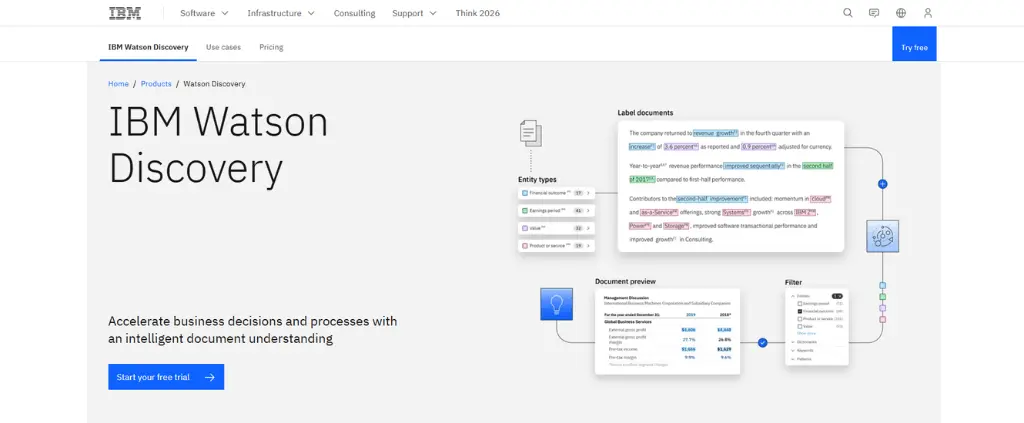
IBM Watson Discovery is an enterprise-grade AI search and content analysis platform that helps organizations extract insights from large volumes of structured and unstructured data. Using advanced natural language processing (NLP), it improves document search, data understanding, and compliance-focused knowledge retrieval. It is commonly used in industries that require deep analytics and regulatory support.
Key features:
- AI-powered enterprise search
- Advanced natural language processing (NLP)
- Document classification & enrichment
- Smart document understanding (SDU)
- Semantic search capabilities
- Content ingestion from multiple data sources
- Compliance-ready knowledge retrieval
- Custom AI model training
- API-first architecture for integrations
Pros:
- Advanced NLP and semantic search
- Strong document analysis capabilities
- Scalable enterprise solution
- Custom AI model training
Cons:
- Expensive for small teams
- Requires technical expertise
- Overkill for basic knowledge management
Pricing:
IBM Watson Discovery offers usage-based and enterprise pricing models.
Pricing generally starts around $500 per month for standard plans, with custom enterprise pricing available based on usage and deployment needs.
G2 Review: 4.5/5
6. ProProfs Knowledge Base
ProProfs Knowledge Base is an AI-powered knowledge management platform that makes it easy to build help sites, user manuals, and private internal knowledge bases.
Its AI features reduce the effort required to create and maintain documentation. The AI writer helps generate articles faster, AI Search improves how teams discover the right answers instantly, and AI-powered insights highlight user activity and content performance. These capabilities support accurate, searchable, and up-to-date knowledge sharing without heavy manual work.
Beyond AI, the platform is built for structured knowledge management across departments. It supports centralized documentation, secure access controls, and collaborative workflows, making it suitable for managing internal policies, compliance resources, and customer-facing FAQs at scale.
Key features:
- AI Writer to generate and refine articles with simple prompts
- AI-powered SEO optimization (article titles, meta titles & descriptions)
- An AI search that can scan the entire knowledge base and deliver AI-generated answers
- Version control with rollback for content accuracy
- Internal commenting for contextual reviews and edits
- Custom branding with domain and design flexibility
- Multilingual publishing for global audiences
- Role-based access and approval workflows
Pros:
- Easy to use and quick setup
- Strong AI writing and SEO tools
- Affordable pricing plans
- Good for internal + external knowledge
Cons:
- Limited advanced customization
- Not ideal for large enterprises
- Basic integrations compared to competitors
Pricing:
- Free Plan: $0 — Includes all premium features for up to 25 articles.
- Essentials: $49/author/month
- Business: $79/author/month
- Enterprise: $199.99 per year
G2 Review: 4.6/5
7. Stack Overflow for Teams

Stack Overflow for Teams is a collaborative, AI-supported knowledge management tool designed to capture, structure, and scale internal knowledge through a question-and-answer format.
Built for technical and cross-functional teams, it uses real-time problem-solving to build a knowledge base that grows smarter and more useful over time.
Using AI and intelligent automation, the platform reduces repeated questions by suggesting existing answers, enhances discoverability with contextual search, and keeps knowledge fresh with tools that monitor content health.
Key features:
- Context-aware search to understand queries and return relevant answers
- Duplicate question detection
- Smart recommendations
- Knowledge graph-style topic linking
- Content health & maintenance alerts
- In-workflow Q&A via integrations
- Actionable insights & analytics
Pros:
- Familiar Q&A format
- Reduces duplicate questions
- Strong community-driven knowledge
- Integrates with dev tools
Cons:
- Not ideal for non-technical teams
- Limited structured knowledge workflows
- Less suitable for CX use cases
Pricing:
- Free: Suitable for teams of up to 50 users, offering basic features including ChatOps integrations with Slack and Microsoft Teams, and a structured, searchable knowledge base.
- Basic: Designed for teams of up to 250 users, adding features like Single Sign-On (SSO) with SAML, and integrations with Okta.
- Business: Caters to larger teams with unlimited users, incorporating all Basic features plus Articles, Collections, advanced integrations (Jira, GitHub), usage metrics, priority support, and Content Health tools.
- Enterprise: Offers custom pricing for organizations requiring advanced features such as unlimited Teams within the instance, flexible hosting options, robust APIs, dedicated customer success support, and a 99.5% uptime SLA.
G2 Review: 4.5/5
8. Guru
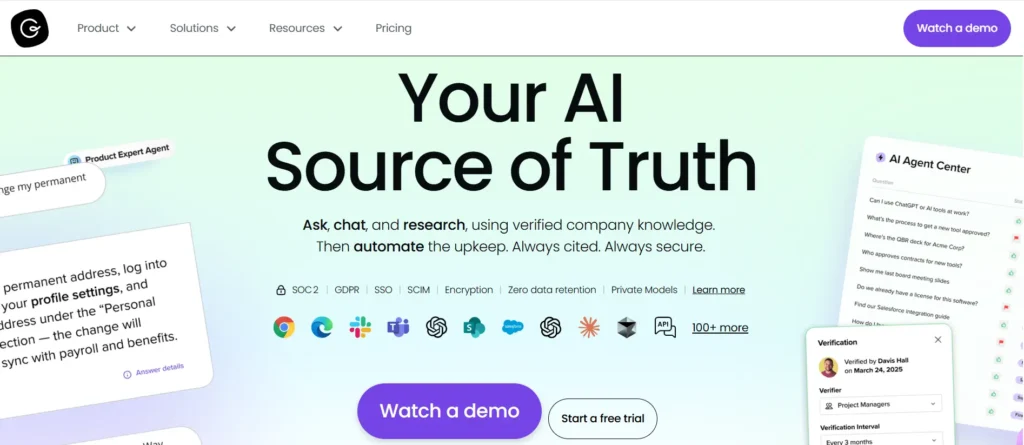
Guru is an AI-powered knowledge management tool designed to centralize knowledge and proactively deliver the right information.
Using advanced AI, Guru automatically identifies, organizes, and maintains up-to-date information to ensure that teams remain productive without ever leaving their workflow.
Guru’s intuitive AI capabilities help capture, access, update, and share knowledge, which improves collaboration across the organization.
Key features:
- Knowledge triggers
- AI-driven knowledge alerts to detect outdated or missing content
- Smart content creation
- Third-party integrations with popular tools (Slack, Teams, CRM systems)
- Advanced analytics
Pros:
- Easy implementation and integrations
- Real-time knowledge suggestions
- Browser extension for in-workflow access
- AI verifies content freshness
Cons:
- Limited analytics capabilities
- Customer support can be slow
- Not ideal for external knowledge bases
Pricing:
At Guru, you will have different pricing options:
- Free Trial: Gives you complete access to their platform for a month.
- All-in-One Plan: $15 per user monthly when billed annually.
- Enterprise: Contact Guru for a personalized quote for your business needs.
G2 Review: 4.7/5
9. Confluence

Confluence, developed by Atlassian, is a widely used collaborative workspace and knowledge management platform that now integrates AI to improve how teams capture, manage, and access knowledge.
Initially known for document collaboration and team workspace capabilities, Confluence has evolved into a more intelligent system.
With the introduction of Atlassian Intelligence, the platform now uses AI to automate repetitive tasks, assist in writing and editing, summarize lengthy content, and streamline navigation through large volumes of information.
Key features:
- AI-generated content to draft, rewrite, or summarize pages using built-in prompts and natural language input
- Page summaries & catch-ups
- Comment summarization
- AI search enhancement
- Natural language automation to set up workflow rules by describing them in plain language
Pricing:
- Free Plan: $0 — For up to 10 users; includes basic features.
- Standard Plan: $6.05; includes core KM features and user permissions.
- Premium Plan: $11.55; adds AI features, analytics, and admin controls.
- Enterprise Plan: Custom pricing for large-scale usage and enterprise-grade features.
Pros:
- Easy to use and affordable
- Strong collaboration features
- Integration with Jira
- Good for team documentation
Cons:
- Limited advanced AI capabilities
- Can become cluttered at scale
- Navigation issues with large content
G2 Review: 4.1/5
10. Zendesk
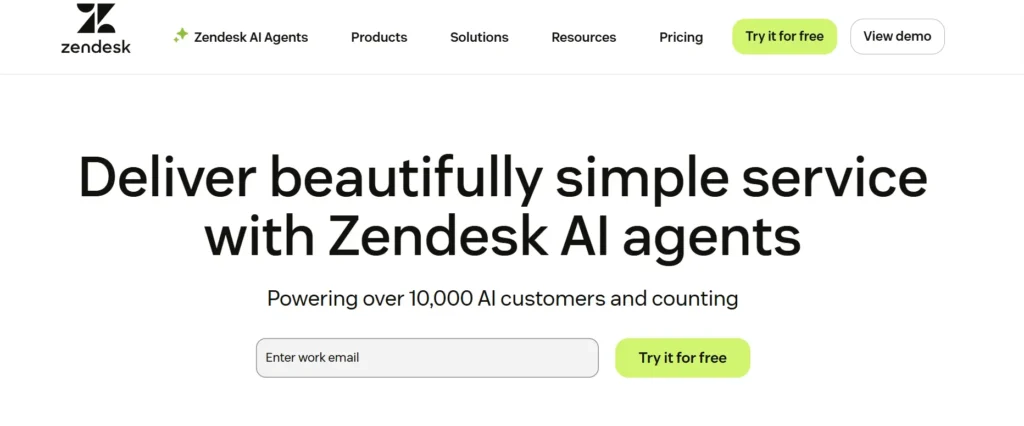
Zendesk is an omnichannel customer support and communication platform. It centralizes conversations across email, chat, social media, and help centers so teams can manage customer inquiries efficiently and with full context.
With AI stitched into ticket routing, macros, and knowledge suggestions, Zendesk turns scattered customer interactions into a unified support operation. Its workspace helps agents move seamlessly between channels while maintaining consistent, high-quality responses.
Zendesk offers automated workflows, a robust knowledge base builder, and detailed analytics that help teams scale support as they grow—all within an interface designed for speed and clarity.
Key features:
- AI-assisted ticket routing and response suggestions
- Unified inbox for email, chat, social, and web support
- Integrated help center and knowledge base tools
- Workflow automation and macros
- Reporting and analytics dashboards
- 1,500+ integrations and marketplace apps
Pros:
- Strong omnichannel support system
- AI-powered automation and routing
- Integrated help center
- Scalable for growing teams
Cons:
- Expensive at higher tiers
- Customization can be complex
- Knowledge base not its core strength
Pricing:
Zendesk offers tiered plans suitable for teams of all sizes:
- Suite Team – $69/agent/month provides a shared inbox, basic automation, and an integrated help center—ideal for smaller teams starting to formalize support.
- Suite Growth – $115/agent/month adds AI tools, advanced automations, SLAs, and multilingual help centers, making it great for scaling companies.
- Suite Professional – $149/agent/month includes advanced analytics, custom roles, and deeper workflow control for high-volume teams with complex support operations.
G2 Review: 4.3/5
11. Bloomfire

Bloomfire is a knowledge management platform that centralizes organizational information, making it easily accessible.
It applies natural language processing (NLP) to understand search intent and deliver contextually relevant results. Its AI automatically classifies and tags content, maintaining structure and accessibility without requiring manual effort.
The platform supports collaborative knowledge sharing by allowing users to contribute content, ask questions, and engage in discussions.
Key features:
- AI-driven search
- Automated content tagging
- AI author assist
- Smart recommendations
- Content health insights
Pros:
- Strong AI tagging and search
- Supports video, PDFs, and rich media
- Good for training and onboarding
- Encourages collaboration
Cons:
- Not ideal for customer-facing KBs
- Pricing based on users
- Limited advanced analytics
Pricing:
Bloomfire offers custom pricing based on team size, features, and deployment scale. Plans are typically divided into three tiers:
- Team Plan – For small teams (starting around 25 users/year); includes core features like AI-powered search and content collaboration.
- Department Plan – Ideal for mid-sized departments (~100 users/year); adds advanced features like generative AI answers, analytics, and compliance tools
- Enterprise Plan – Designed for full company rollouts (~500+ users/year); includes all features, integrations, multi-community setup, and expert support.
G2 Review: 4.6/5
12. Helpjuice
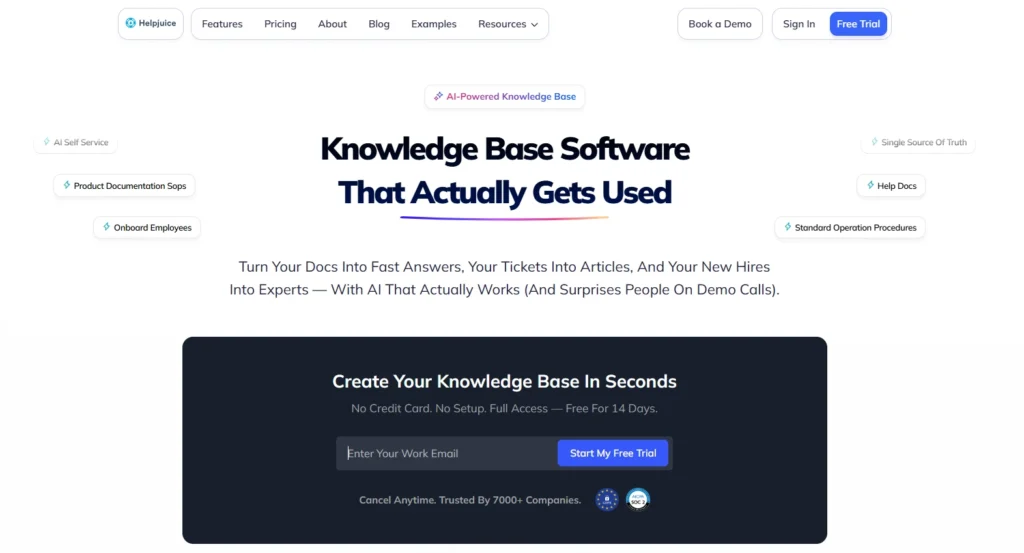
Helpjuice is another excellent knowledge management tool. It allows users to create, customize, and maintain knowledge bases.
You can use Helpjuice to create both internal and external knowledge bases. The extensive access control features it offers allow you to restrict and loosen access to the published articles with ease.
The AI features offered by Helpjuice let users improve their productivity and create knowledge base articles fast. Integrated in the content creation and search capabilities, it’s AI makes the user platform super easy to use.
Key features:
- AI-powered search functions for easy article discovery
- AI-powered writing assistant to create content and article outlines
- AI-driven insights show detailed engagement metrics
- A feature-rich text editor lets you create articles with bulleted lists, tables, block quotes, and other rich text elements
- Detailed user management options
Pros:
- Intuitive and easy to use
- Strong AI-powered search
- Good analytics and reporting
- Flexible customization
Cons:
- Limited workflow automation
- Moderate design flexibility
- Fewer enterprise features
Pricing:
- Customized Knowledge Base Plan – $249
- AI Knowledge Base – $449
- Unlimited AI Knowledge Base – $799
G2 Review: 4.7/5
13. Salesforce Einstein AI

Salesforce Einstein AI is an advanced AI platform integrated within Salesforce’s ecosystem, designed to enhance knowledge management by automating data analysis, providing actionable insights, and improving customer interactions.
By embedding AI directly into Salesforce applications, Einstein AI helps harness data more effectively, which helps in smarter decision-making and more personalized customer experiences.
Key features:
- Automated knowledge base creation to generate and update knowledge base articles by analyzing customer interactions and data
- Intelligent search and retrieval
- Personalized recommendations
- Continuous learning from new data and interactions
- Case classification and routing
- Reply recommendations for agents
Pros:
- Deep Salesforce integration
- Strong AI automation & insights
- Personalized recommendations
- Scalable enterprise solution
Cons:
- Expensive
- Requires Salesforce ecosystem
- Complex implementation
Pricing:
Salesforce Einstein AI offers various pricing plans tailored to different organizational needs:
- Starter Suite – $25/user/month
- Includes: Basic case management, knowledge base (read-only), and simple service tools. Good for small teams getting started with support operations.
- Pro Suite – $100/user/month
- Adds: Real-time chat, case swarming, and basic workflow automation. Ideal for teams needing faster customer engagement and collaboration.
- Enterprise – $165/user/month
- Includes: AI-powered service tools, advanced workflow automation, and full CRM integration. Great for scaling support with automation and AI assistance.
- Unlimited – $330/user/month
- Adds: AI chatbots, 24/7 support, enhanced automation, and deeper analytics. Built for large teams requiring full AI/automation capabilities.
- Einstein 1 Service – $500/user/month
- Includes: Generative AI with Einstein Copilot, Service Intelligence, Slack integration, and real-time data access. Top-tier plan for organizations ready to fully integrate generative AI across service operations.
G2 Review: 4.4/5
14. Slite

Slite is a collaborative knowledge management and documentation software designed to organize, access, and collaborate on company knowledge effortlessly.
By embedding AI directly into its core, Slite has changed scattered documentation into a searchable knowledge base that evolves with your team.
Slite offers fast information retrieval, automatic summarization, and content generation, all in a clean, distraction-free interface.
Key features:
- AI-powered search
- Smart knowledge curation using AI
- Summarization and note cleanup
- Automated documentation suggestions
- Version tracking and collaborative editing
Pros:
- Clean and simple interface
- AI-powered summaries and search
- Easy collaboration
- Affordable pricing
Cons:
- Limited enterprise capabilities
- Basic integrations
- Not ideal for complex workflows
Pricing:
No free plan; Basic $10/user/month (billed annually), Pro $20/user/month adds the Slite Agent and cross-tool AI search, and enterprise custom. 14-day trial.
G2 Review: 4.6/5
The Ultimate Guide To Implementing a KM Platform
15. KMS Lighthouse
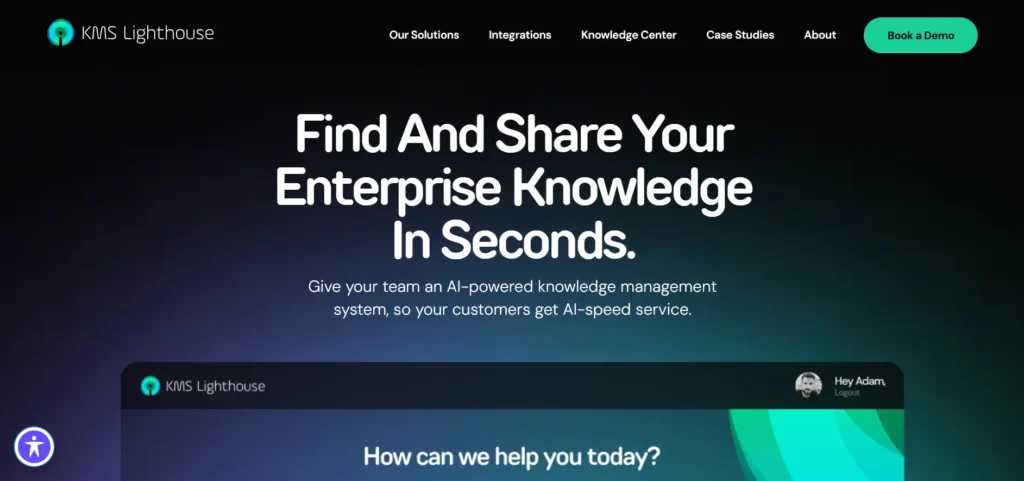
If your contact center runs thousands of interactions a day and agents constantly struggle to find the right answer fast, KMS Lighthouse was built for exactly that.
KMS Lighthouse is an enterprise knowledge management platform designed specifically for customer-facing teams, call centers, retail branches, insurance teams, and healthcare operations. Its core idea is simple: when a customer asks something, agents should get an instant, accurate answer, no hunting, no guessing.
The platform organizes knowledge into searchable, structured content that agents can access in seconds. Its Answer Trees work similarly to Knowmax’s decision trees, walking agents through complex queries step by step. The self-service portal also lets customers find answers on their own, reducing inbound contact volume.
It’s been recognized as a Top 3 Leader in the Forrester Wave for Knowledge Management, which puts it firmly in the enterprise tier.
Key features:
- Real-time agent guidance with instant answer delivery
- Answer Trees for step-by-step handling of complex queries
- Self-Service Portal for customer-facing knowledge access
- Knowledge Bot for automated, conversational query resolution
- Native integrations with CRM, ticketing, chatbots, and virtual assistants
- Open API for connecting with your existing tech stack
- Customizable templates and landing pages, no IT needed for most changes
- Multi-language support for global teams
Pros:
- Purpose-built for contact centers, not adapted from a general knowledge tool
- Answer Trees reduce agent errors and inconsistency
- Highly customizable interface, teams can set it up the way they work
- Strong enterprise credentials, Forrester Wave Top 3 Leader
- Used across banking, insurance, retail, and healthcare
Cons:
- Premium price point — may not be right for smaller teams or tight budgets
- Some users report that the initial setup and content structuring take time
- Pricing is not transparent — requires a conversation with the sales team
Pricing:
Custom pricing.
G2 Rating: 4.4/5
How to Choose the Right AI Knowledge Management Tool
Choosing the right AI knowledge management (KM) tool depends on your business goals, team workflows, and scalability needs. Not all “AI-powered” platforms offer the same level of intelligence or automation, so evaluate carefully.
When comparing AI KM tools, ask:
- Does it support semantic search? It should understand intent, not just keywords.
- Does it offer AI-guided workflows or only static articles? Interactive, step-by-step guidance improves accuracy and resolution speed.
- Can it integrate with your CRM, helpdesk, or collaboration tools? Seamless integrations reduce context switching.
- Does it provide usage analytics and content gap insights? You need visibility into search success rates and missing knowledge.
- How strong are its governance and permission controls? Role-based access and approval workflows are critical for enterprises.
- Is generative AI supported with proper safeguards? Look for source citations, human review options, and data security controls.
The right AI knowledge management software ultimately depends on your primary focus:
- Customer support efficiency – Prioritize agent assist, smart search, and ticket deflection.
- Internal documentation – Focus on collaboration, version control, and governance.
- Enterprise search – Choose strong cross-platform indexing and semantic retrieval.
- Self-service automation – Look for AI chatbots and answer extraction capabilities.
- Compliance and governance – Ensure audit logs, structured approvals, and strict access controls.
Real Business Impact of AI Knowledge Management Tools
Organizations implementing AI-powered knowledge systems report:
- Reduced Average Handle Time (AHT)
- Improved First Contact Resolution (FCR)
- Faster onboarding
- Reduced search time
- Better knowledge consistency
- Improved customer satisfaction
When knowledge becomes structured, searchable, and contextual, teams perform more efficiently.
See how leading online Food Delivery app reduced AHT by 15% through Knowmax
Conclusion
Well, that was a pretty long list of tools.
But selecting the right AI knowledge management tool requires evaluating strong options carefully. Start by identifying your team’s challenges and clearly documenting the solutions and requirements they need.
This clarity will help you choose a tool aligned with your organization’s goals and budget.
The best AI knowledge management tools in 2026 combine semantic search, generative AI, guided workflows, integrations, and strong governance to deliver fast, contextual knowledge at scale.
If you’re looking for a solution built for CX and support teams, Knowmax stands out with AI-powered decision trees (Flows), conversational search, and seamless CRM integrations.
Book a demo with Knowmax today and see AI-driven knowledge in action
FAQs
An AI knowledge management tool is software that uses artificial intelligence to organize, manage, and retrieve information. It helps teams quickly find accurate answers using technologies like NLP, semantic search, and machine learning.
These tools analyze content, understand user queries, and deliver relevant answers using AI technologies like natural language processing and semantic search. They continuously improve by learning from user interactions.
Some of the best AI knowledge management tools include Knowmax, Document360, Microsoft Viva Topics, IBM Watson Discovery, Guru, and Confluence. The right choice depends on your use case, such as CX, internal documentation, or enterprise search.
They reduce average handle time (AHT), improve first contact resolution (FCR), and provide real-time guidance to agents. They also enable faster onboarding and better self-service for customers.
Yes, most AI knowledge management tools integrate with CRM, helpdesk, and communication platforms. This allows agents to access relevant information directly within their workflow.
Yes, enterprise-grade tools offer features like role-based access control, audit logs, data encryption, and compliance with standards like GDPR and SOC 2 to ensure data security.


 Word Document)
 Excel File)


