 26 Min


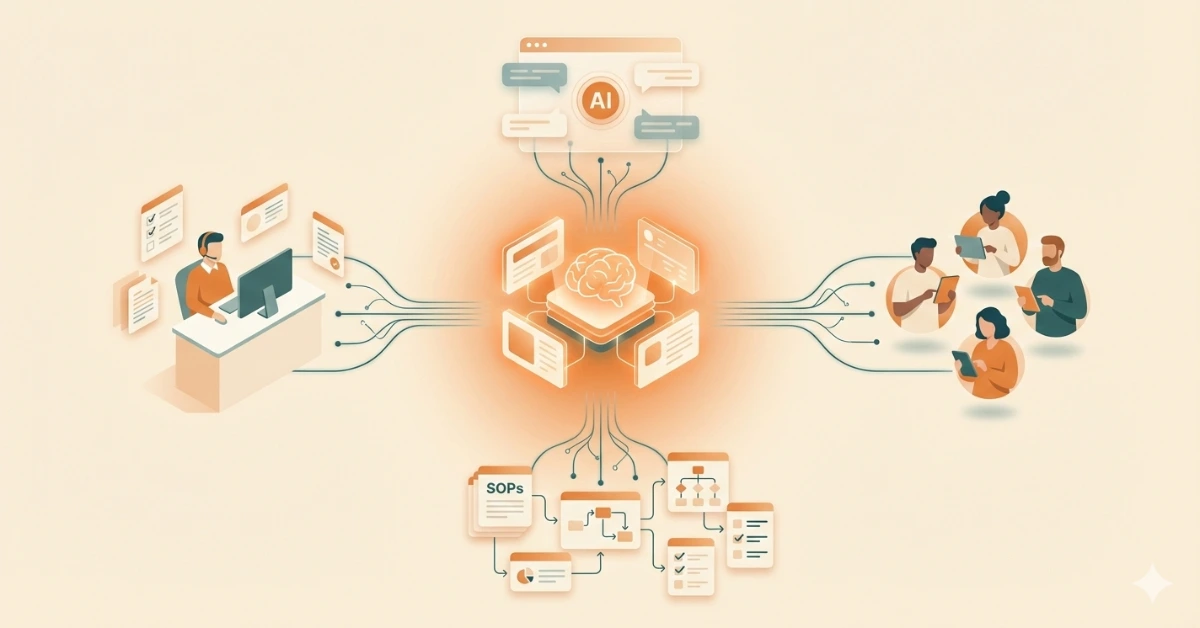
Tickets keep coming in, customers want quick answers, and agents are constantly searching for the right information.
Even when your product is good, poor or slow support can frustrate customers. And in SaaS, frustrated customers don’t wait; they cancel.
That’s why SaaS customer support matters so much today. It’s not just about fixing issues. It’s about helping customers use the product properly, see value early, and stay long-term.
In this guide, we’ll explain what SaaS customer support is, why it drives retention, and how to scale it effectively.
If your goal is to improve support quality, reduce repeat tickets, and make your support team’s job easier, this guide will help.
Table of contents
- What is SaaS customer support?
- Why Customer Support is Important for SaaS Businesses?
- Key Challenges in SaaS Customer Support
- Best Practices to Improve SaaS Customer Support
- SaaS Customer Support Metrics to Track Performance
- Best Tools & Platforms for SaaS Customer Support
- How to Scale SaaS Customer Support
- Examples of Great SaaS Customer Support
- Conclusion
What is SaaS customer support?
SaaS customer support is the ongoing help given to users of Software-as-a-Service (SaaS) products. It helps customers get started smoothly, use features the right way, and fix issues when they arise. The goal is to make sure customers continue getting value from the software throughout their subscription.
Why Customer Support is Important for SaaS Businesses?
In SaaS, revenue depends on staying, not just buying. That’s why customer service in SaaS plays such a direct role in business growth.
Here’s why SaaS customer support matters more than ever:
1. Retention beats acquisition
According to Bain & Company, bringing in a new customer is far more expensive than keeping an existing one.
In SaaS, revenue comes from renewals, not one-time purchases. When customers feel supported during onboarding, issues, or product changes, they’re far more likely to renew and stay loyal instead of looking for alternatives.
2. Support drives product adoption
Good support helps customers understand how to use features confidently and correctly.
When users know what a feature does and how it fits into their workflow, they’re more likely to use it regularly. This increases the product’s perceived value and helps customers get the results they signed up for.
3. Support shapes reviews and referrals
Customers may forget a feature, but they remember how support made them feel. Experiences with support strongly influence reviews on platforms like G2 and Capterra, as well as word-of-mouth recommendations.
4. Support prevents silent churn
Most customers don’t always raise a ticket when something feels off. Instead, they gradually disengage from the product. Proactive SaaS customer support helps teams notice these signals early, step in at the right moment, and guide customers back on track, strengthening trust and long-term retention.
Key Challenges in SaaS Customer Support
Here are the most common challenges with their solutions:
1. High Ticket Volume as You Scale
As more customers sign up, tickets increase faster than the team can handle, especially during onboarding or product releases.
Solution: Strong self-service content and guided onboarding reduce repeat and basic tickets.
2. Inconsistent or Outdated Answers
When information is scattered across tools or people, customers get different answers to the same question.
Solution: A centralized knowledge base keeps responses accurate and consistent across all agents and channels.
3. Complex Products, Simple Expectations
SaaS products can be complex, but customers still expect quick, clear answers.
Solution: Structured guides, workflows, and step-by-step guides help make complex issues easier to explain and resolve.
4. Agent Burnout
According to CCW Digital, 65% of customer support agents report feeling burned out, largely due to high ticket volumes and constant context switching.
Solution: Better tools, ready-to-use knowledge, and AI assistance reduce agent effort and stress.
5. Limited Self-Service Adoption
Customers want to help themselves, but outdated FAQs and poor search push them back to raising tickets.
Solution: An AI Search engine, well-structured self-service content helps customers find answers on their own and faster.
Best Practices to Improve SaaS Customer Support
Great SaaS customer support best practices focus on speed, clarity, and consistency, without overwhelming agents.
1. Build a Strong Self-Service Foundation
Today’s SaaS users don’t want to wait in a queue for simple questions. They prefer to find answers on their own quickly.
What works best in 2026:
- A searchable knowledge base that actually shows the right results
- Step-by-step guides and SOPs instead of long help articles
- Visual workflows and decision trees that guide users to the right answer
This is where SaaS customer support software with strong knowledge management capabilities makes a real difference, reducing basic tickets before they even reach agents.
Self-Service Playbook for Omnichannel Customer Support
2. Centralize Knowledge for Agents
When agents spend time searching across tools, customers end up waiting and frustration builds on both sides.
A centralized knowledge platform helps agents:
- Find accurate answers instantly
- Give consistent responses across chat, email, and calls
- Handle complex issues with confidence
Tools like Knowmax turn scattered product information into easy-to-follow, guided flows, so agents don’t have to rely on memory or outdated documents.
3. Use AI—But Keep Humans in Control
AI is now a standard part of customer service, but the most successful teams use it as support, not a replacement.
Smart, practical uses of AI include:
- Suggested replies that agents can edit and personalize
- Automated tagging and ticket routing
- AI-powered search across knowledge sources
The key trend in 2026 is AI grounded in verified knowledge, ensuring responses stay accurate, consistent, and trustworthy.
How Knowledge-Backed Conversational AI Improves Customer Support
4. Design Support Around the Customer Journey
Modern SaaS support can’t be reactive alone. Customers need help at the right moment, not just when something breaks.
High-performing teams map support touchpoints across:
- Onboarding and first-time setup
- Feature discovery and adoption
- Billing, renewals, and upgrades
- Product updates and changes
Proactive guidance at these stages reduces confusion, lowers ticket volume, and improves CSAT.
5. Train Agents Continuously
SaaS products change constantly, and outdated training quickly becomes a problem.
In 2026, the best support teams rely on:
- Microlearning instead of long training sessions
- Embedded knowledge inside helpdesk tools so agents learn while working
- Regular content updates to keep information fresh
Continuous, lightweight training helps agents stay confident, accurate, and ready to support customers as the product evolves.
SaaS Customer Support Metrics to Track Performance
Tracking the right metrics helps SaaS teams improve support quality without drowning in numbers. These are the metrics that truly show how well your support is working and where it needs improvement:
1. First Response Time (FRT)
What it means: How quickly a customer gets the first reply after raising a ticket.
Simple formula:
First Response Time = Time of first agent reply − Time ticket was created
Example: If a customer submits a ticket at 10:00 AM and receives the first response at 10:20 AM, your FRT is 20 minutes.
A lower FRT reassures customers that help is on the way, even if the issue takes longer to solve.
2. First Contact Resolution (FCR)
What it means: The percentage of issues resolved in the very first interaction.
Simple formula:
FCR (%) = (Tickets resolved in first response ÷ Total tickets) × 100
Example: If your support team receives 100 total tickets in a week and 60 of those tickets are resolved in the first response, your FCR is:
(60 ÷ 100) × 100 = 60%
A higher FCR usually means agents have easy access to the right information and can resolve customer issues quickly and clearly.
See How our Knowledge Management Platform helped leading Telecom improve its FCR by 21%
3. Customer Satisfaction Score (CSAT)
What it means: How satisfied customers feel after a support interaction.
Simple formula:
CSAT (%) = (Positive responses ÷ Total responses) × 100
Example: If 50 customers respond to your CSAT survey and 45 of them choose “satisfied” or “very satisfied,” your CSAT score is:
(45 ÷ 50) × 100 = 90%
A higher CSAT score indicates that customers are happy with how their issue was handled. CSAT reflects not just resolution, but tone, clarity, and ease of the interaction.
4. Ticket Volume by Category
What it means: The number of tickets grouped by issue type, such as onboarding, billing, or feature usage.
How it’s used:
If you see a spike in onboarding-related tickets, it likely points to unclear setup steps or missing documentation.
This metric helps identify product, UX, or knowledge gaps, not just support workload.
5. Self-Service Success Rate
What it means: How many issues customers resolve on their own without contacting support.
Simple formula:
Self-Service Success Rate = (Issues resolved via self-service ÷ Total issues) × 100
Example: If 300 customers find answers in your help center and only 200 raise tickets, your self-service success rate is 60%.
A higher rate means your knowledge base is helping, reducing ticket volume and agent effort.
Best Tools & Platforms for SaaS Customer Support
Modern SaaS customer support relies on a combination of tools that work together to deliver fast, consistent, and scalable support.
1. Knowledge Management
What it is: Knowledge management in SaaS customer support focuses on capturing, organizing, and delivering accurate product and process information so agents and customers can find answers quickly and confidently.
Key features:
- Centralized knowledge base
- Step-by-step guides and SOPs
- Visual workflows and decision trees
- Version control and content updates
- Support for agent and self-service use
Popular tools:
- Knowmax – Best for structured, AI-ready knowledge with guided flows, visual SOPs, and consistent answers across agents and self-service.
- Confluence – Widely used for internal documentation and team collaboration, offering flexibility for organizing product and process knowledge.
- Guru – Helps teams access knowledge directly within the tools they already use, making information easier to surface during daily workflows.
A Practical Checklist for Choosing the Right Knowledge Management Tool
2. Ticketing & Helpdesk
What it is: Ticketing and helpdesk tools help SaaS teams receive, organize, prioritize, and resolve customer queries from multiple channels in one place.
Key features:
- Omnichannel ticket management (email, chat, web)
- Ticket prioritization and SLAs
- Automation and workflows
- Reporting and performance dashboards
Popular tools:
- Zendesk – A widely used helpdesk platform that helps SaaS teams manage customer conversations across email, chat, and other channels, with strong automation and reporting for scaling support operations.
- Freshdesk – A user-friendly ticketing tool that’s easy to set up and works well for growing SaaS teams that want structured support without added complexity.
- Help Scout – A support platform focused on email-based customer service, offering a clean interface and a more personal, human approach to handling customer conversations.
3. AI and automation
What it is: AI and automation tools assist support teams by handling repetitive tasks, guiding customers to answers, and helping agents respond faster and more accurately.
Key features:
- AI-powered chatbots and self-service
- Suggested replies for agents
- Automated tagging and routing
- AI-based search and summaries
Popular tools:
- Intercom – Combines live chat, chatbots, and automation to answer common questions, guide users in real time, and route more complex issues to human agents when needed.
- Ada – Designed mainly for AI-driven self-service, helping customers find answers on their own and resolve simple issues without raising a support ticket.
- Zendesk AI – Adds AI features directly into Zendesk, such as reply to suggestions, ticket summaries, and smarter routing, to help agents respond faster and stay focused.
4. CRM Integration
What it is: CRM-integrated support tools give agents full visibility into customer details, history, and lifecycle stage, enabling more personalized and informed support.
Key features:
- Unified customer profiles
- Interaction and ticket history
- Account and subscription context
- Better alignment between support, sales, and success teams
Popular tools:
- HubSpot Service Hub – Connects customer support directly with CRM data, so agents can see customer history, plans, and past interactions in one place and respond more personally.
- Salesforce Service Cloud – Designed for larger teams, it offers deep customization and advanced workflows to manage complex support operations at scale.
- Zoho CRM Plus – Brings together CRM, customer support, and analytics in a single suite, making it a practical choice for teams looking for an all-in-one solution.
How to Scale SaaS Customer Support
Scaling support doesn’t mean hiring endlessly. It means working smarter.
Practical ways to scale:
- Invest early in self-service
- Standardize answers with a knowledge platform
- Use AI to assist agents, not overload them
- Track repeat issues and fix root causes
- Teams that scale successfully focus on enablement, not just headcount.
Examples of Great SaaS Customer Support
1. Dropbox
Dropbox is a SaaS product, and its support model relies heavily on:
- A well-structured help center
- Clear troubleshooting guides
- Contextual support when users contact the team
This is a classic self-service–first SaaS support approach, very common in mature SaaS companies.
2. Notion
Notion is SaaS, and its support strength lies in:
- Community-driven answers
- Templates and guides
- Education-led support
This shows how support + enablement helps users succeed without heavy ticket volume.
3. Canva
Canva supports millions of SaaS users through:
- Visual tutorials
- In-app help
- Clear documentation
This is a strong example of scalable SaaS customer support, especially for large user bases.
4. Stripe
Stripe is one of the best examples of SaaS support for technical products:
- World-class documentation
- Clear error explanations
- Support designed around developer needs
In SaaS, documentation is support, and Stripe is often cited for this.
5. Mailchimp
Mailchimp combines:
- Knowledge base
- Guided onboarding
- Tiered human support
This aligns perfectly with customer support in SaaS, especially for SMB-focused products.
Conclusion
Great SaaS customer support is fast, consistent, and easy to scale. Customers want quick answers. Agents need clear guidance. Support teams need systems that actually help them work better.
The teams that succeed focus on prevention, not just resolution. They reduce repeat questions, support self-service, and give agents the right information at the right time.
Knowmax helps make this possible. It centralizes support knowledge, provides guided workflows for agents, and uses AI to surface accurate answers instantly across agents and self-service.
By creating a single source of truth, Knowmax helps SaaS support teams deliver consistent experiences while scaling efficiently.
Experience Smarter Support With Knowmax


 Word Document)
 Excel File)


