 17 Min



A case opens in Service Cloud. The customer’s problem sits in the subject line. Account history is one click away. The answer is somewhere else entirely, in a knowledge tool that lives in another tab. In a 2023 Gartner survey of 4,861 employees, 47% of digital workers said they struggle to find the information they need to do their jobs.
Picking a Salesforce Service Cloud knowledge base comes down to where the answer lands. This guide, updated on 7 October 2026, compares six options from each vendor’s own documentation and explains the four ways a knowledge base can attach to a case page, from native articles to panels, search components and browser extensions.
Table of contents
- Salesforce Service Cloud knowledge base options compared (Updated October 2026)
- Four ways a Salesforce Service Cloud knowledge base attaches to the case
- Why placement matters more than the feature list
- What a Salesforce Service Cloud knowledge base needs before launch day
- Three readings of the comparison, and the one that survives
- Knowledge management for Salesforce: what a CRM cannot do alone
- A five-step proof of concept on a live case
- Questions to ask each vendor before you sign
- Frequently asked questions
Salesforce Service Cloud knowledge base options compared (Updated October 2026)
Every row comes from the vendor’s own page, read on 7 October 2026. The table lists no prices, because vendors quote by deployment, and it states only what the pages say.
| Tool | How it reaches agents in Salesforce | Where content is authored | Verdict |
|---|---|---|---|
| Knowmax | Browser extension; the page says agents search and share knowledge without switching tabs | Knowmax, a separate knowledge platform with decision trees and visual guides | Best when guided resolution and one source across every channel matter more than staying inside Salesforce itself |
| Salesforce Knowledge | Built into Service Cloud; articles are created and accessed from the Service Console | Salesforce itself, with approval workflows and permissions | Best when Salesforce owns the content |
| Guru | Browser extension with page-specific suggestions, plus a search connector | Guru, with expert verification of answers | Best for desks that already use Guru |
| Helpjuice | Package plus two Visualforce pages placed on the case page | Helpjuice | Best for teams with a Helpjuice knowledge base who want it beside the case |
| Document360 | AppExchange app plus a Visualforce canvas page on the case | Document360 | Best for documentation-led teams |
| Coveo | Hosted Insight Panel, a Lightning component on the case record page | The sources your Coveo panel configuration searches | Best when content is scattered and a search layer is the real need |
Two cautions apply before anyone reads the verdict column as a ranking. Knowmax is listed first because it is the publisher of this guide, and the table is a description of attachment methods rather than a score. And Knowmax’s Salesforce pages describe a browser extension without naming a console placement, so a Service Console demo should settle that point.
Four ways a Salesforce Service Cloud knowledge base attaches to the case
The six tools collapse into four patterns. The pattern says more about the daily agent experience than any feature list. It decides how many clicks stand between the case and the answer.
Native Salesforce Knowledge
The vendor describes its own product as built directly into Service Cloud, so support teams can create, manage and access articles without leaving the Service Console. In its guide to knowledge base software, dated 5 May 2026, Salesforce also lists version control, approval workflows and role-based permissions. It adds that the knowledge serves as a grounding layer for Agentforce.
That is the shortest distance between an article and a case. As a Salesforce Service Cloud knowledge base it is also the only option here with no second system to authenticate, which matters later.
An embedded panel on the case page
Two of the six, Helpjuice and Document360, work this way. Each ships an installable app, and an administrator then places a Visualforce page on the case layout. The Helpjuice setup guide, last updated 30 September 2025, has an admin install the package, create two Visualforce pages and drag both onto the case page. Over at Document360, the setup guide has an admin install the app from AppExchange, set connected app policies, add a Visualforce page and authorize the connection.
The trade is the same in both. The panel sits where agents already look, so adoption is easy to explain. But a Visualforce page is a fixed rectangle on a layout, and somebody has to maintain it.
A Lightning search component
Coveo, however, takes a different route. Its Hosted Insight Panel is a Lightning component that an administrator drags onto a case record page in the Service Console, and according to Coveo’s documentation the panel lets agents reach content without leaving the case. Result actions let agents attach a result to the case or copy it.
The component expects groundwork first: the Coveo for Salesforce package, a panel configuration and access to specific Apex classes. In return it searches content that lives elsewhere, rather than asking you to move any of it, which is the main reason to choose it.
A browser extension or search connector
Finally, Guru and Knowmax both describe an extension that follows agents into Salesforce. Guru’s page promises page-specific content recommendations with one click and a separate search connector that lets people search Salesforce from other workspaces. Knowmax’s Salesforce integration page describes an extension that brings knowledge to wherever agents work.
Extensions travel well, since the same tool works in Salesforce, a second CRM and the intranet. Still, nothing on either page proves a native look inside the Service Console. That has to be seen, not assumed.
Why placement matters more than the feature list
In fact, agents rarely lose time because a knowledge base lacks a feature; they lose it because the answer sits one step away from the work, in another tab, behind another login, under another search box.
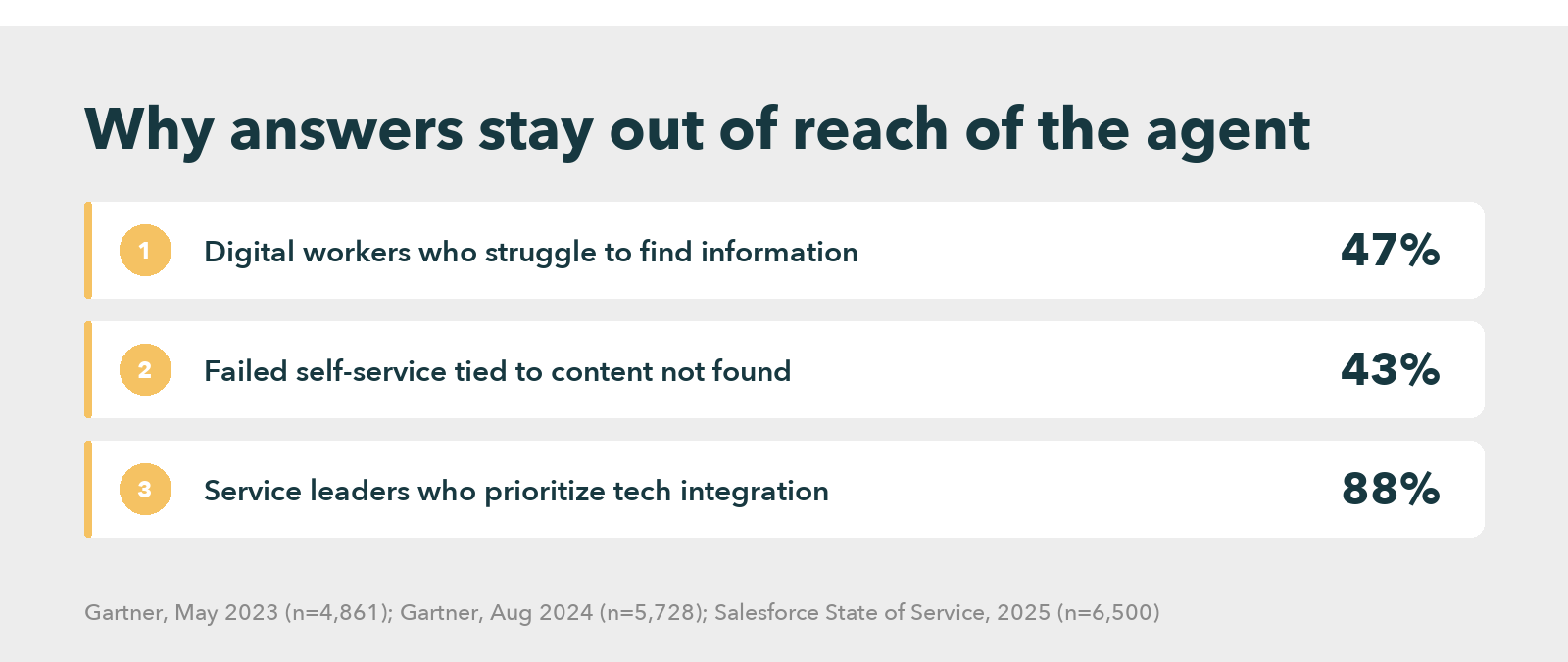
The Gartner finding on digital workers appears again here because it frames the cost. A separate Gartner self-service study of 5,728 customers found that 43% of failed self-service attempts came from customers not finding relevant content, which concerns customers rather than agents, but the mechanism matches: the content existed and the path to it failed.
Research from Salesforce points the same way on the buying side. Its seventh State of Service report, based on 6,500 service professionals, found that 88% of service leaders prioritize technology integration. Companies that unify their channel data are 1.4 times more likely to run a very successful AI implementation.
Why Findable Knowledge Decides the Agent Experience
What a Salesforce Service Cloud knowledge base needs before launch day
Most selection projects spend their energy on the feature comparison. Gartner’s data suggests that is the less useful half of the work.
In a July 2025 Gartner readiness survey of more than 200 service and support leaders, those effective at vendor and product evaluation saw only a 50% increase in the likelihood of reaching their technology goals. Leaders effective at organizational readiness saw 300%. Readiness covered data, technical skills, business processes, infrastructure, stakeholder alignment and talent.
Read the vendor documents with that in mind, and the setup steps become a readiness checklist. A Helpjuice widget shows “Unauthorized” unless the Salesforce and Helpjuice emails match exactly. Document360 requires an admin role in both the Salesforce org and the Document360 project. Coveo needs users granted access to specific Apex classes. None of this is hard. But all of it needs an owner.
Native articles avoid most of it, because there is one identity and one permission model, which is a real advantage and the reason the native option wins whenever the content team already works in Salesforce.
Three readings of the comparison, and the one that survives
The table can be read three ways, and each leads to a different purchase.
The first reading says native Salesforce Knowledge is enough. It holds when article authors are comfortable in Salesforce, the content is mostly case-resolution articles and the contact center runs on one Salesforce org. So adding a second tool adds a second place to author, review and retire content.
The second reading, by contrast, treats a third party knowledge base for Salesforce as an authoring layer. Document360 and Knowmax fit this reading, as does Helpjuice. The knowledge lives in a system built for authors, and Salesforce becomes one of several places it shows up. This wins when the same answers must reach a help center, a chatbot and a second CRM.
The third reading, instead, says the real problem is search. Scattered content is Coveo’s territory; knowledge spread across many tools is Guru’s.
The survivor depends on a single question about your Salesforce Service Cloud knowledge base: where does the content already live, and who owns it? If the honest answer is “nowhere in particular”, a native build is the cheapest start. If the answer is “in three places, owned by three teams”, a search layer beats any authoring tool. Moving content is the expensive part.
The concession follows. A dedicated knowledge platform is the wrong answer for a small Salesforce-only team with a few hundred articles, because the second system costs more attention than it returns. It starts paying for itself when answers need structure, such as step-by-step interactive decision tree flows, or when one answer must stay consistent across channels.
See How a Retail Giant Gave Every Agent Structured Knowledge
Knowledge management for Salesforce: what a CRM cannot do alone
A CRM stores cases, accounts and history. A knowledge platform stores answers, and the two have different jobs. The Knowmax piece on CRM knowledge management argues that a CRM’s own articles run out of road once content must serve several channels.
That position deserves scrutiny from any buyer, since it comes from a vendor, so the fair version is narrower. Native articles are full pages, so an agent mid-call must read before acting, while structured guidance returns a next step. Whether that difference matters depends on how many of your contacts are procedural, such as refunds, activations and diagnostics, rather than purely informational ones. A Salesforce Knowledge comparison covers the vendor’s side of that argument in full.
Where it matters, knowledge management software built for agents adds guided flows. It also adds analytics on what agents open and one content source for every channel.
A five-step proof of concept on a live case
Demos show the best case. A proof of concept shows the median one, so run it on real cases with the agents who will use it.
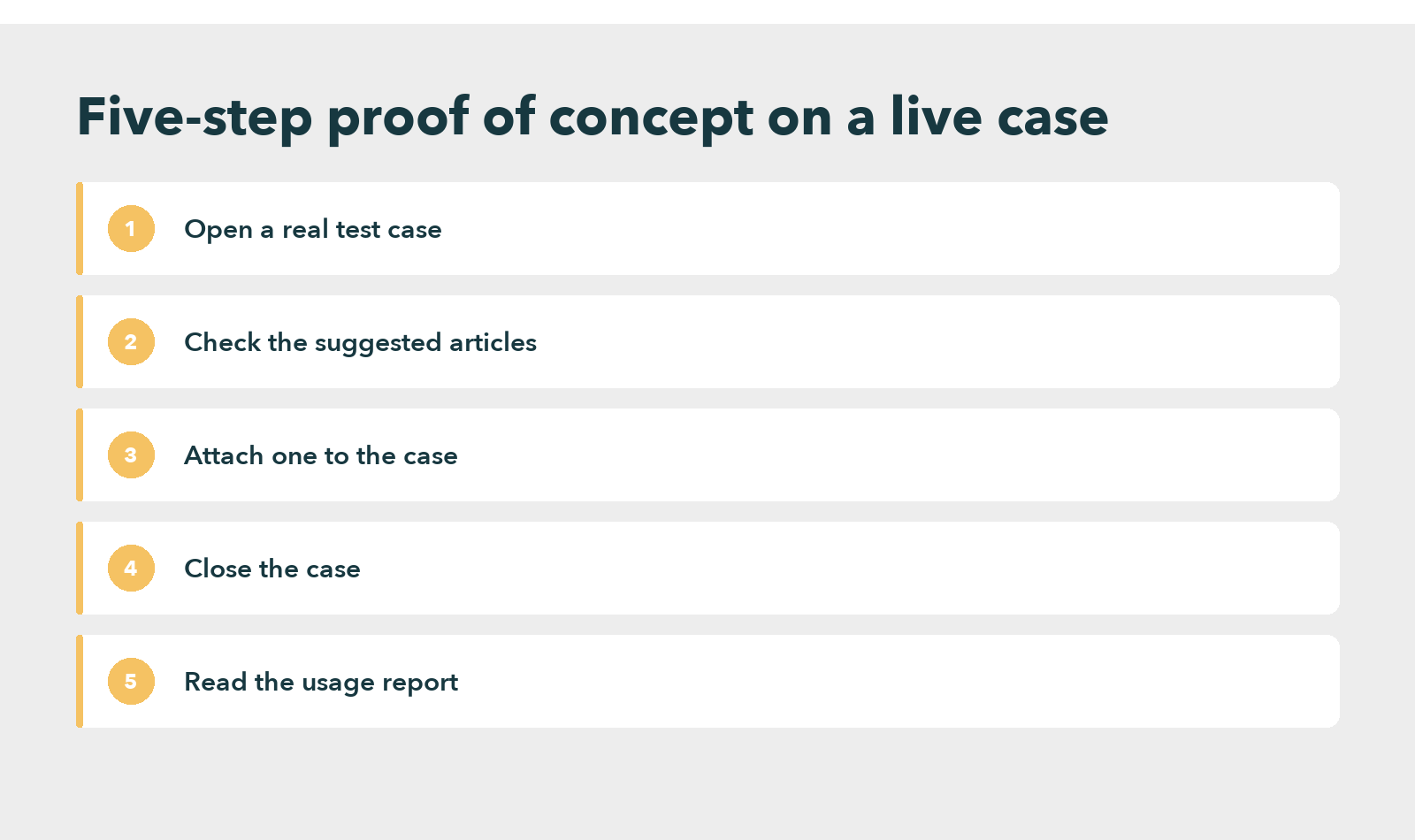
Pick ten recent cases, three of them awkward ones that took more than one article to resolve. A duplicate charge, for example, should surface the billing article rather than the generic payments overview, since matching the case subject is the baseline test every option must pass. Open each in the Service Console and count three things. Do the suggested articles match the case subject? How many clicks does attaching one take? Can the agent tell which version is current?
Then close the cases and read the usage report. A tool that cannot show which articles agents opened, ignored or searched for without finding will decay quietly. The knowledge base drifts away from the cases it was meant to serve.
Use the agents who work these cases daily rather than the admin who built the panel, because an administrator moves through a screen very differently from an agent with a customer waiting on the line and a handle-time target running. Run the same ten cases on every shortlisted Salesforce Service Cloud knowledge base. Still, the comparison table in a vendor deck matters little once the panel is on a real case. The content side of the decision has its own guide to the customer service knowledge base.
Questions to ask each vendor before you sign
Four questions separate marketing pages from working integrations. They apply to any Salesforce Service Cloud knowledge base, Knowmax included.
- Where exactly does it appear? Ask for the Service Console case view, not a slide. Confirm Lightning Experience support too.
- Who has to log in twice? Single sign-on and matching user identities decide whether an agent sees articles or an “Unauthorized” message.
- What does the admin maintain after launch? A Visualforce page, an Apex permission set and a package version are all things that need an owner.
- What happens when an article changes? Ask how an update reaches the agent screen, and how long that takes.
A vendor that answers these without pausing has done the integration before, whereas one that offers to “get back to you” has probably not, and that gap tends to show up again at go-live.
Ready to Put the Right Answer on Every Salesforce Case?
Frequently asked questions
Knowmax, Guru, Helpjuice, Document360 and Coveo each describe a Salesforce integration on their own pages, alongside Salesforce’s native Knowledge. They differ in placement: a Visualforce panel, a Lightning component, a search connector or a browser extension. Check which one your console supports.
Not always. Salesforce Knowledge is built into Service Cloud and covers article creation, approvals and permissions. A separate tool earns its place when content must serve other channels, when answers need guided steps, or when knowledge already sits in several systems.
Yes, through a Visualforce page, a Lightning component or an extension, depending on the vendor. The Visualforce route is used by Helpjuice and Document360, while Coveo uses a Lightning component. An administrator must place the panel on the case layout first.
Neither is better in general; the fit depends on where agents work. An extension follows agents across tools, while a native component sits on the case layout and inherits Salesforce permissions. Extensions suit desks that use several tools, and native components suit Salesforce-only desks.


 Word Document)
 Excel File)


